Firmware Upgrade
OTA Upgrade
1.Download and install the OTA upgrade application: NSUtil App (A mobile application based on Android).
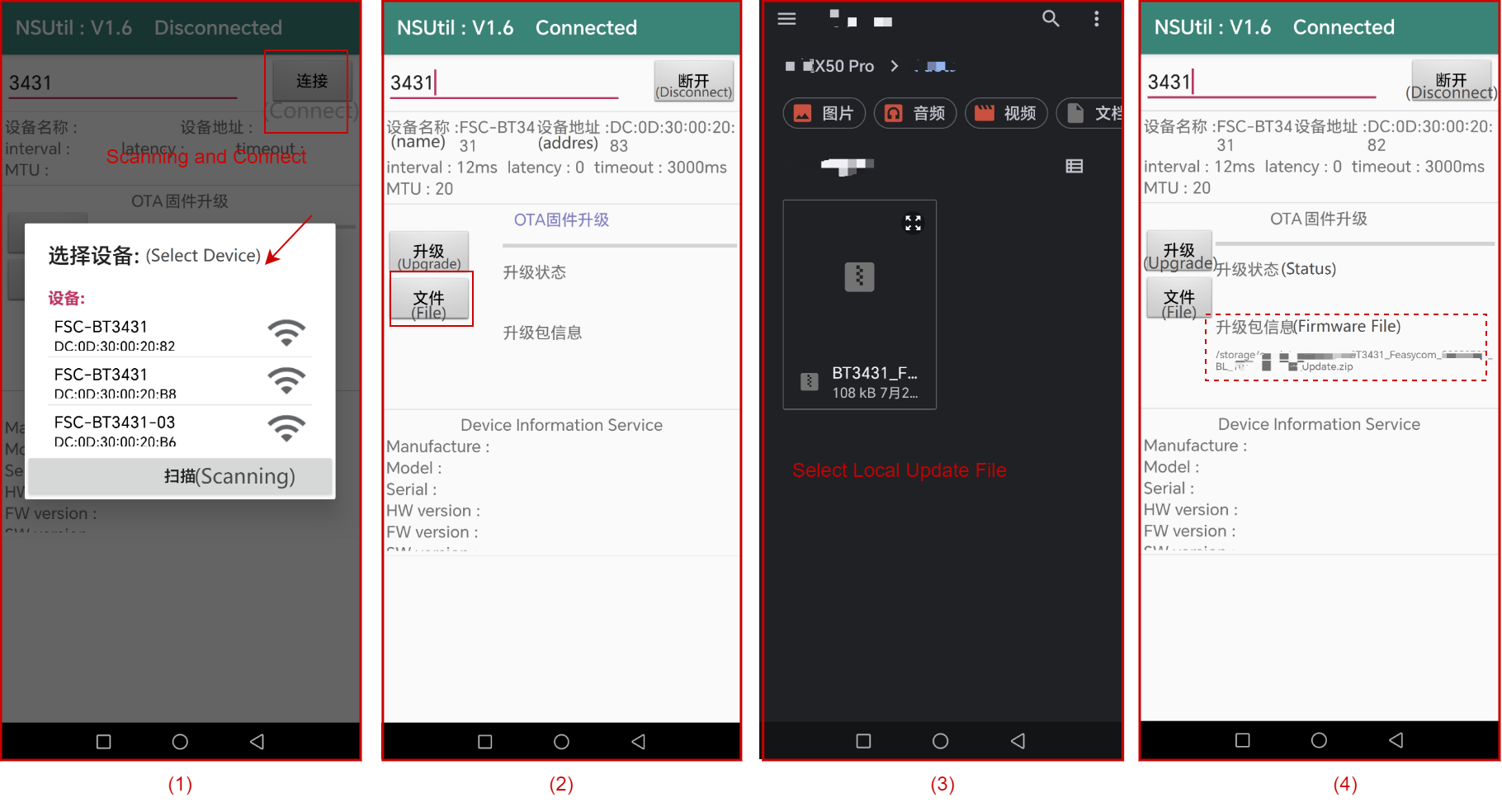
2.Scanning and connect : Open the NSUtil app, click the Connect to scan for and connect to the target Bluetooth device.
3.Load the firmware update file : Click the File button, select and import the firmware upgrade file stored locally on your mobile phone.
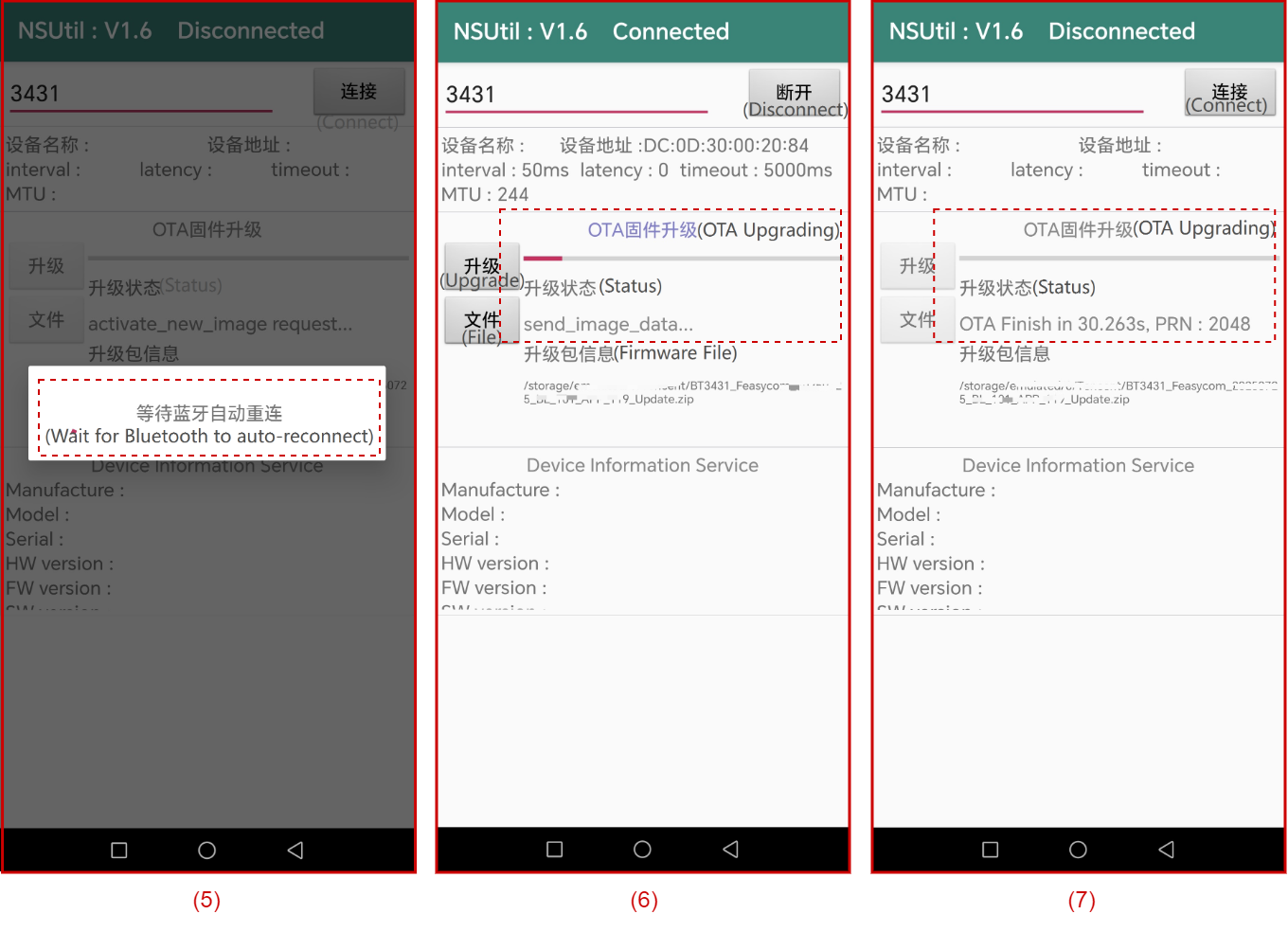
4.Enter upgrade mode : After successfully loading the firmware update file, click the Upgrade button to enter the upgrade mode. And the app will automatically reconnect to the Bluetooth module.
5.Start the upgrade : After the reconnection is successful, the upgrade will start automatically and the upgrade progress bar will be displayed.
6.OTA finish : Simply wait for the upgrade progress bar to finish and the upgrade status to display “OTA finish”.