FSC-HC05 series dual-mode Bluetooth data transmission modules have two data transmission modes: Throughput Mode and Command Mode.
The generic data throughput firmware for the FSC-HC05 series modules default to throughput mode. To switch modes, refer to the FSC-HC05 General Dual-Mode Data AT Command Set and use the AT+TPMODE command.
The operation and differences between the two modes are as follows:
Throughput Mode:
Bluetooth Not Connected: Data received via UART is parsed as AT commands.
Bluetooth Connected: All data received via UART is sent as-is to the remote Bluetooth device. It does not contain any data headers or framing and does not require AT commands to send data.
Command Mode:
Bluetooth Not Connected: Data received via UART is parsed as AT commands.
Bluetooth Connected: Data received via UART is still parsed as AT commands. It will contain specific response indication headers and framing. Data must be sent to the remote device using AT commands, such as AT+SPPSEND or AT+LESEND .
Module: After power-on, the module will continuously send broadcast packet data.
Phone: Open the FeasyBlue APP , scan for nearby Bluetooth device advertisements, find the target Bluetooth module, and establish a connection.
Connection Success: After successful connection, the status pin of the module will pull up the level, indicating that the connection has been established.
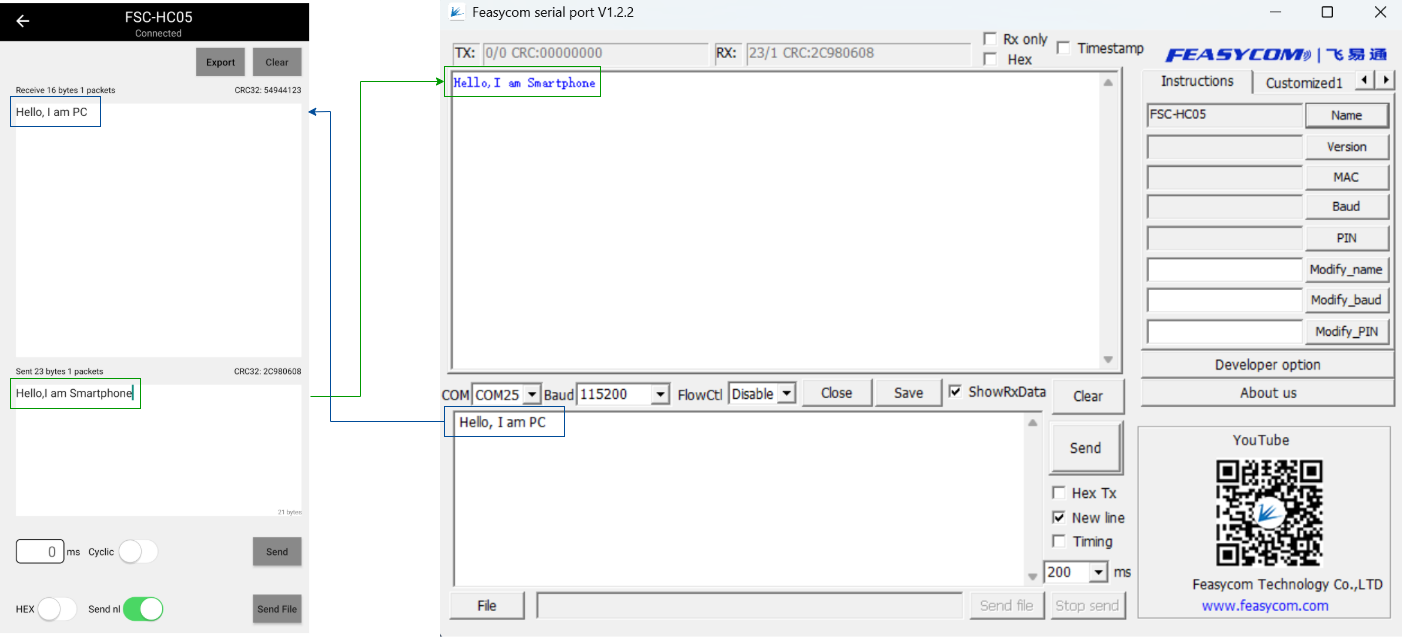
Data Transmission: After successful connection, in the througput mode, the module will automatically transmit the serial port data it receives to the remote end (mobile phone side) via air.
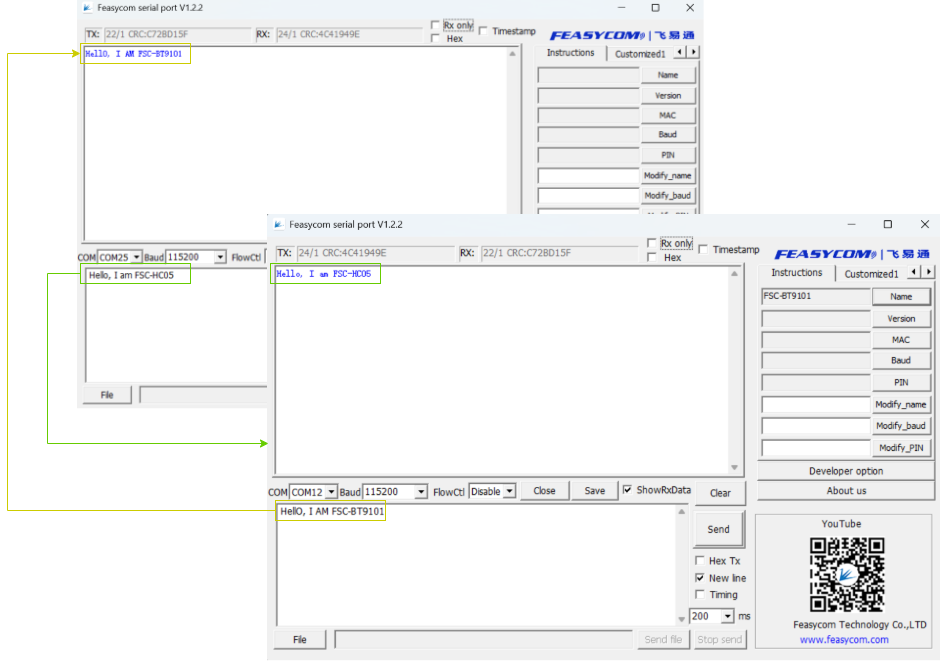
Throughput Transmission Demonstration of SPP Communication Between FSC-HC05x and FSC-BT910x Bluetooth Modules, as follow:
FSC-HC05 Set to master mode and enable inquiry.
1Send: >>AT+ROLE=1 //Set the module as master
2Response: <<OK
34Send: >>AT+CLASS=0 //Set to be able to inquire about various Bluetooth device classes
5Response: <<OK
FSC-HC05 Enable scanning.
 1Send:     >>AT+INQ                     //Scan for nearby Bluetooth SPP devices
 2Response: <<
 3    +INQ:F0FA:C7:82C255,280704,FFCB
 4    +INQ:DC0D:30:44B,240404,FFF2
 5    +INQ:8667:7A:3CAAA,40680,FFBB
 6    +INQ:B48C:9D:D259D6,2A410C,FFD3
 7    +INQ:E0D8:C4:660C75,2C043C,FFC4
 8    +INQ:DC0D:30:1ADB,240408,FFDC
 9    +INQ:DC0D:30:2034,40680,FFC9
10    +INQ:2:5B:FF03,5A020C,FFC1
11    OK                          //Scan ended
Use the AT+LINK command to initiate an SPP connection request to the remote target device.
1Send: >>AT+LINK=DC0D,30,44B       //Initiate SPP link request to the remote target device
2Response: <<OK            //Sent successfully
3.SPP Connected
In throughput mode, after a successful Bluetooth connection, the UART will not receive event response indicators. The connection status can be determined by the level state of the status pin (Pin 33) on the FSC-HC05, as follows:
High Level (H): Indicates Bluetooth is successfully connected.
Low Level (L): Indicates Bluetooth is not connected or the connection has been disconnected.
4.Send data
Throughput mode is enabled by default in the generic data transmission firmware. After SPP connected, data can be sent directly without using AT commands, as follow:
Upon power-up, the module continuously transmits advertisement data. A remote Bluetooth device (e.g., phone) can discover these advertisement packets via scanning and initiate a connection request to the module.
Upon successful connection, the module pulls its connection status pin HIGH to notify the host of the successful Bluetooth connection.
The host can send data to the remote Bluetooth device via the Bluetooth module, and the remote Bluetooth device can also send data to the host.