Data Communication Principles
Working Principle
FSC-BT630x Bluetooth Data Transmission Module enables wireless communication between devices based on the BLE (Bluetooth Low Energy) protocol.
BLE : It adopts an event-driven low-power architecture and defines the “Service-Characteristic” model via the GATT (Generic Attribute Profile) protocol. This enables intermittent small data interaction (e.g., sensor data), making it suitable for Internet of Things (IoT) devices
The module and host devices (mobile phones/MCUs) can send AT commands or transparent transmission data via UART to complete connection establishment, data exchange, and status management.
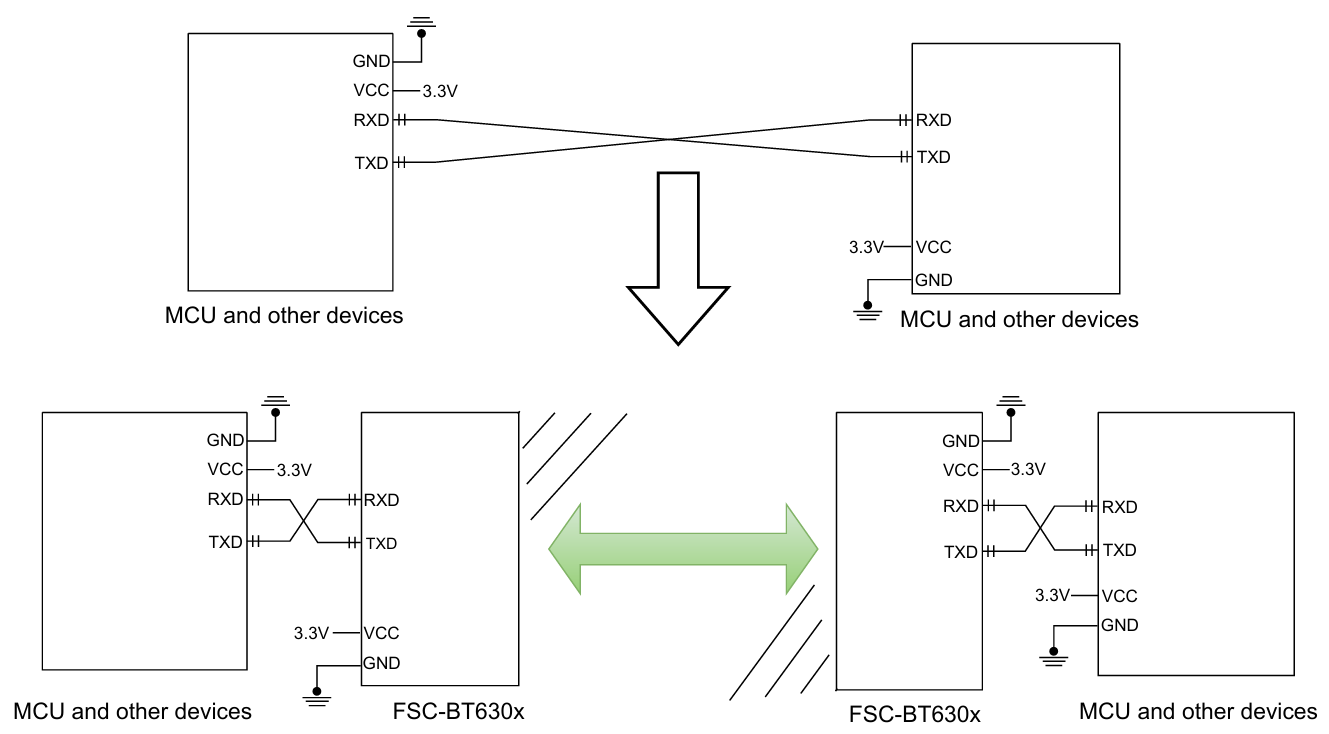
As shown in the figure, the Bluetooth module is used to replace the physical wires in full-duplex communication.
Devices such as microcontroller units (MCUs) (left side) transmit data via TXD to the Bluetooth module (left side). After the Bluetooth module receives the serial data through its RXD port, it automatically sends the data via radio waves through the air to the remote Bluetooth module. The remote Bluetooth module (right side) receives the over-the-air data and transmits it via TXD to local devices such as microcontroller units (MCUs) (right side).
MCU-to-Module Communication
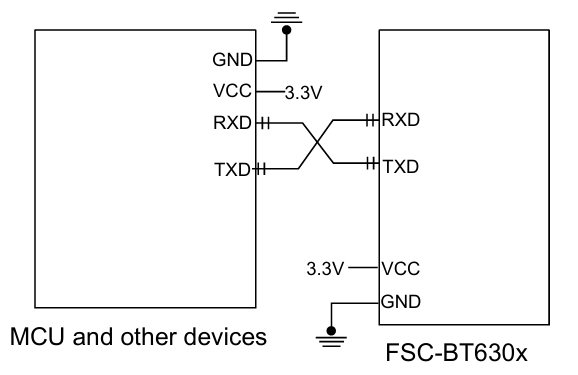
This diagram shows a connection diagram between a main control MCU (Microcontroller Unit) and an FSC-BT630 Bluetooth module. Command interaction between the main control unit and the Bluetooth module is realized through cross-connection via serial ports, supporting wireless communication functions, and is applicable to scenarios such as IoT devices and remote control.
Serial Communication Interface :The transmitting end of the main MCU (MCU_TX) is cross-connected with the receiving end of the Bluetooth module (UART_RX), and the receiving end (MCU_RX) is similarly connected to the transmitting end of the Bluetooth module (UART_TX), forming a two-way data transmission channel;
Power Supply and GND:The Bluetooth module is connected to 3.3V via the VDD_3V3 pin and shares a common GND with the main MCU to ensure level compatibility and signal stability.
Module-to-Module Communication
Two FSC-BT630x Bluetooth modules can establish a Bluetooth connection once powered on.
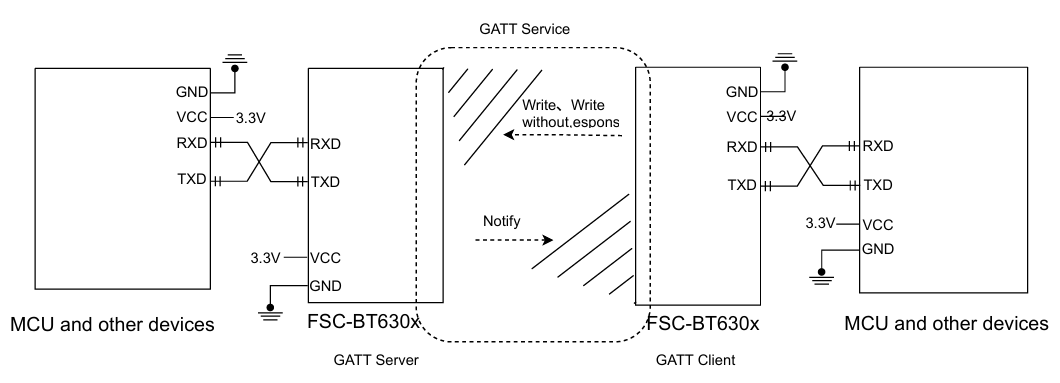
FSC-BT630x module features master-slave device functionality: the left module can be configured as a master device, and the right module as a slave device. The master device can perform operations such as Bluetooth scanning, connection establishment, data transmission, and disconnection by sending commands. Herein, a device that actively initiates a Bluetooth connection is defined as a master device, while a device that receives connection requests is referred to as a slave device.
Module-to-Phone Communication
Why is an APP required on a mobile phone for Bluetooth connection and communication?
The native Bluetooth function of mobile phones only supports general scenarios, such as audio transmission and file transfer. Some Bluetooth peripheral devices can be connected through the mobile phone's built-in settings program, such as Bluetooth speakers, Bluetooth headsets, Bluetooth keyboards, Bluetooth mice, etc. When a Bluetooth peripheral device cannot be connected by the mobile phone's native settings program (for example, the Bluetooth module only supports SPP/GATT protocols), to connect such a module, it is generally necessary to install a specific mobile application on the mobile phone, such as the FeasyBlue application
Communication Application
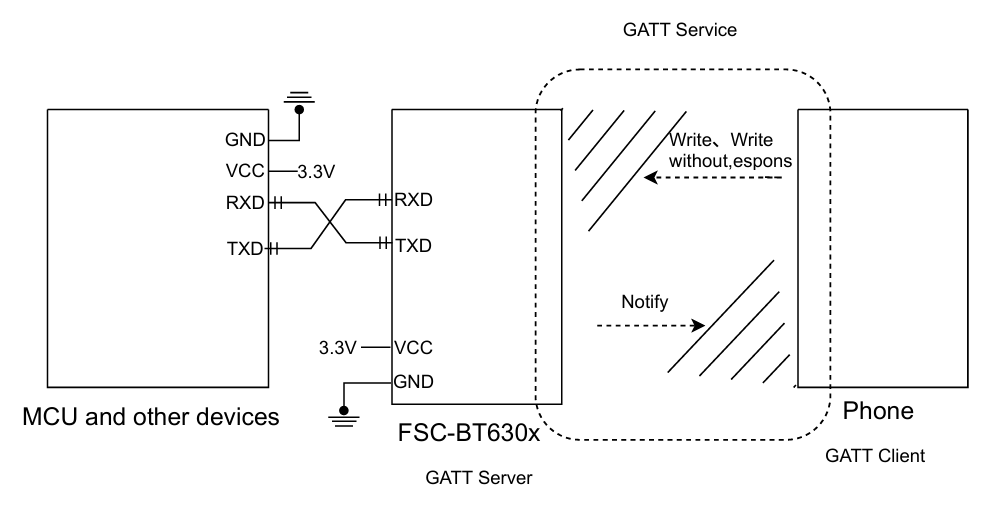
Bluetooth Module side (FSC-BT630x) : It will continuously send broadcast data outward when powered on.
Mobile Phone side : It can search and obtain the broadcast packet of the FSC-BT630x module through the FeasyBlue App , and initiate a MAC address/UUID connection request to the module side (FSC-BT630x), while obtaining all services and characteristics provided by the device.
After a successful connection, the Bluetooth module (FSC-BT630x) will pull high the connection status pin and report the connection status command (valid in command mode) to notify the host side of the successful Bluetooth connection.
Host side : Data can be sent to the remote (mobile phone side) Bluetooth via the serial port through the Bluetooth module, and the remote (mobile phone side) Bluetooth can also send data to the host .