Firmware Upgrade
OTA Upgrade
Tool
User Guide
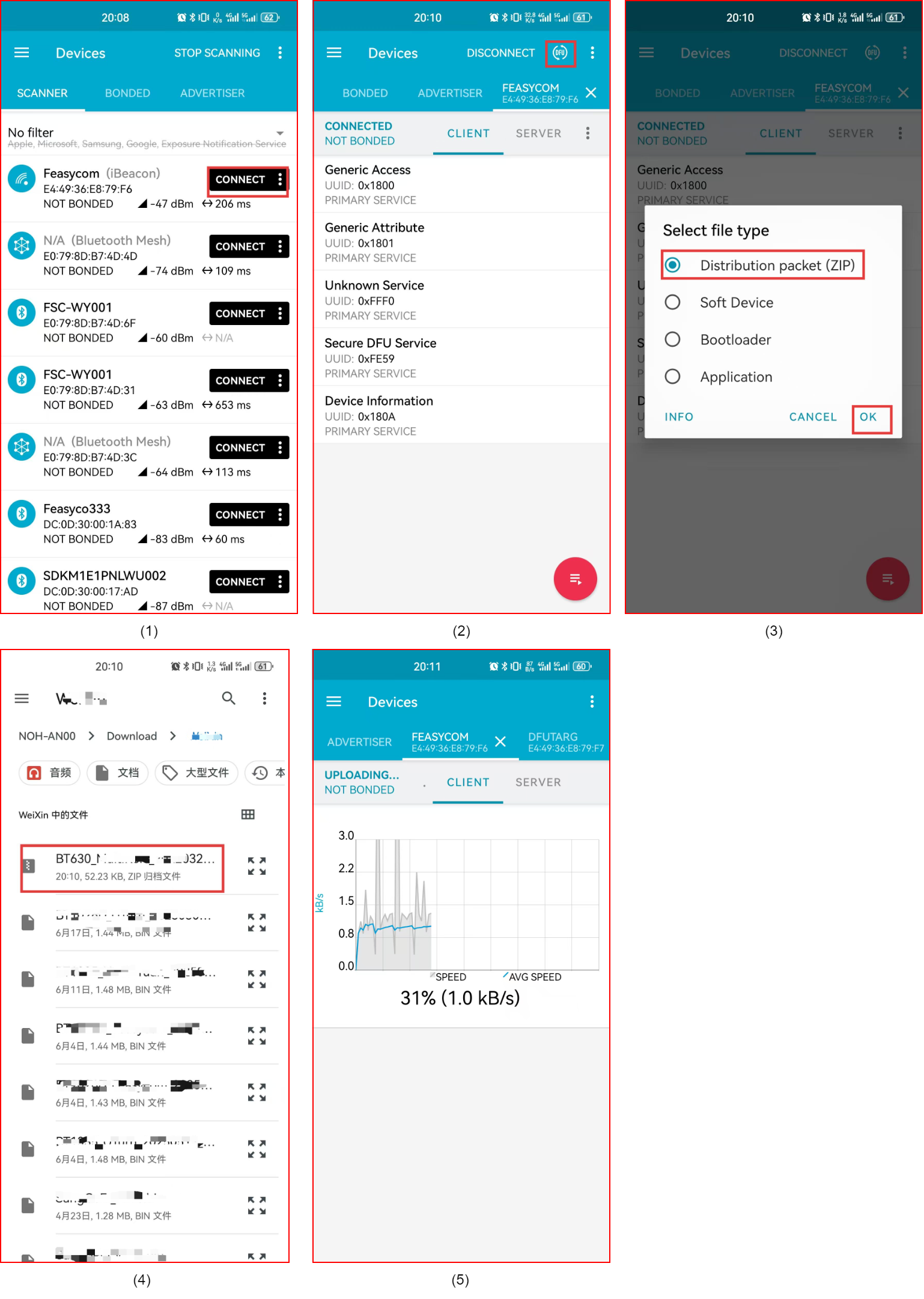
1.Save the firmware upgrade resource package (provided by Feasycom) to the mobile phone’s local storage.
2.Run nRF Connect, scan and connect to the device that needs to be upgraded.
3.After successful connection, click the DFU icon in the upper right corner of the page.
4.In the pop-up Select file type window, select the Distribution packet (ZIP) file type, and confirm with OK .
5.Select and import the firmware upgrade resource package saved in the mobile phone’s local storage;
6.After the firmware upgrade resource package is imported successfully, the APP will first disconnect, then wait for 3 seconds, and the APP will automatically reconnect.
7.When the status shows Uploading and the upgrade progress bar, the upgrade has started, just wait for the upgrade to complete.
OTA Upgrade Show